How to show your Stripe MRR on a desk display
In short
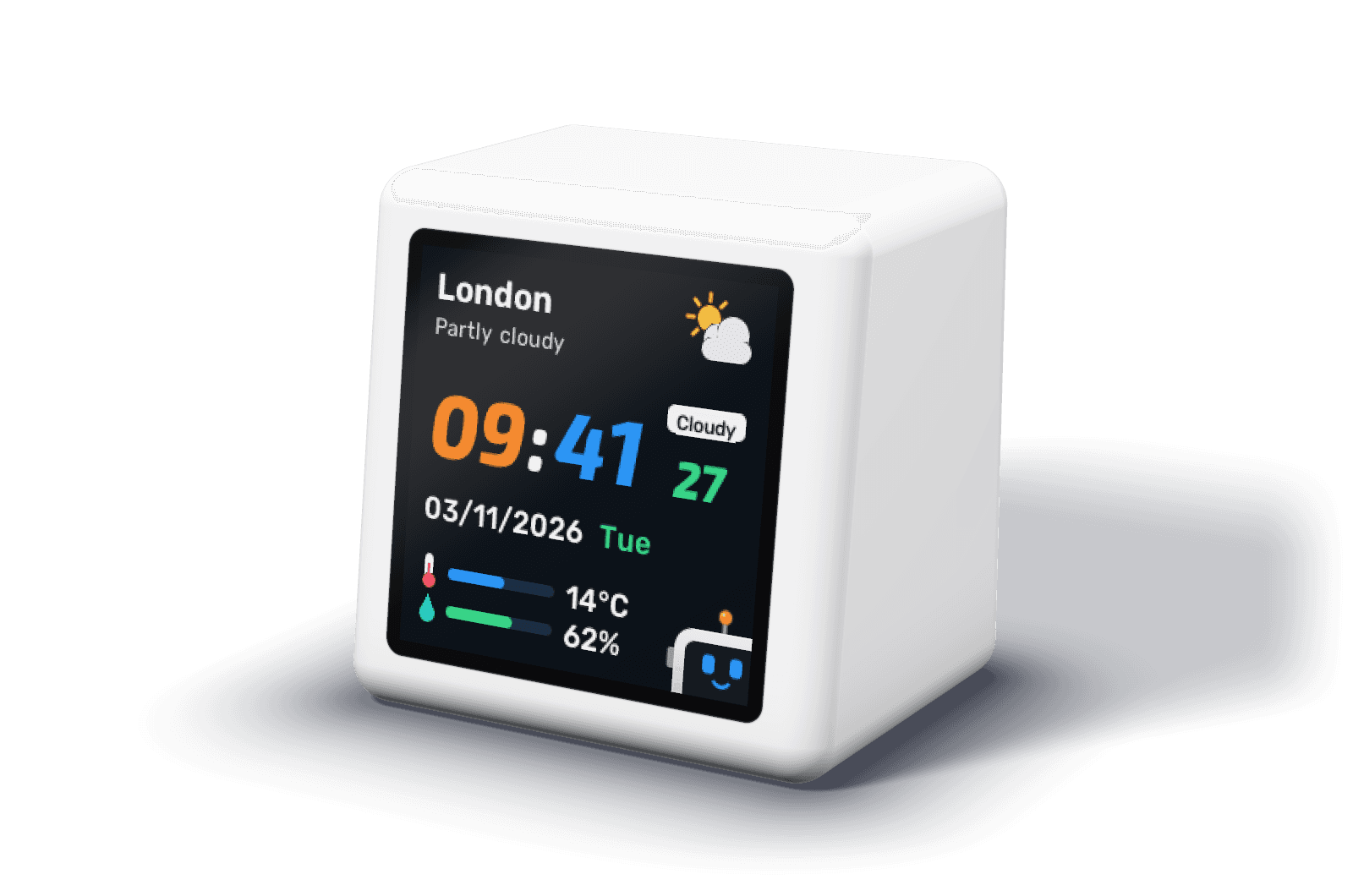
To show Stripe MRR on a desk display, add one route to your backend that lists your active and past due Stripe subscriptions, converts each price to a monthly amount and returns the total by currency as JSON. DeskBot reads that route once a minute and shows MRR, ARR and the change. It never holds your Stripe key; your server does.
Why DeskBot does not connect to Stripe directly
A device on your desk is the wrong place for a Stripe secret key. Anyone who opened the case could read it, and a restricted key that can list subscriptions can still see every customer. So DeskBot reads a small endpoint on your own server, protected with a separate key that can do nothing but return a few numbers. Your Stripe key stays where it already is.
The route
This is a complete Next.js route handler. It lists active and past due subscriptions, the two statuses Stripe counts towards MRR, converts each item to a monthly amount (annual plans divided by twelve, weekly plans scaled up), adds them up per currency and counts the subscriptions that are past due. It caches the result for a minute, because DeskBot asks once a minute and Stripe does not need asking more often.
It needs the stripe package and two environment variables. STRIPE_SECRET_KEY should be a restricted key with read access to subscriptions only, not your full secret key. DESKBOT_KEY is any long random string, which you also paste into DeskBot.
// app/api/v1/stats/route.ts
import Stripe from "stripe";

const stripe = new Stripe(process.env.STRIPE_SECRET_KEY!);
let cached: { at: number; body: unknown } | null = null;

// One subscription item's price as a monthly amount, in minor units.
// Metered (usage-based) prices are left out, as in Stripe's own MRR.
function monthly(price: Stripe.Price, quantity: number): number {
  const recurring = price.recurring;
  if (!recurring || recurring.usage_type === "metered" || price.unit_amount == null) return 0;
  const perInterval = price.unit_amount * quantity;
  const months = {
    day: recurring.interval_count * (12 / 365),
    week: recurring.interval_count * (12 / 52),
    month: recurring.interval_count,
    year: recurring.interval_count * 12,
  }[recurring.interval];
  return perInterval / months;
}

async function stats() {
  const mrr = new Map<string, number>();
  let pastDue = 0;
  // Stripe counts active and past_due subscriptions towards MRR.
  for (const status of ["active", "past_due"] as const) {
    for await (const sub of stripe.subscriptions.list({ status, limit: 100 })) {
      if (status === "past_due") pastDue++;
      for (const item of sub.items.data) {
        const currency = item.price.currency.toUpperCase();
        mrr.set(currency, (mrr.get(currency) ?? 0) + monthly(item.price, item.quantity ?? 1));
      }
    }
  }
  return {
    revenue: {
      mrr: [...mrr].map(([currency, amount]) => ({ currency, amount: Math.round(amount) })),
    },
    negatives: { pastDue },
  };
}

export async function GET(req: Request) {
  if (req.headers.get("authorization") !== `Bearer ${process.env.DESKBOT_KEY}`) {
    return new Response("Unauthorized", { status: 401 });
  }
  // DeskBot asks once a minute; Stripe only needs asking once a minute too.
  if (!cached || Date.now() - cached.at > 60_000) {
    cached = { at: Date.now(), body: await stats() };
  }
  return Response.json(cached.body);
}Why the number can differ from Stripe's
Stripe's Billing analytics defines MRR as the monthly value of all active and past due subscriptions, leaving out tax, free plans and metered (usage-based) products, and it can subtract discounts. The route follows the same rules except for two, so its figure is close to Stripe's, not always the same:
- Discounts and coupons are not subtracted. If many customers have one, DeskBot's MRR reads higher than Stripe's.
- Tiered prices have no single unit amount, so the route counts them as zero. Add your own calculation for them if you use tiers.
- Trialing subscriptions are not counted, as in Stripe's figure: they have not paid yet.
Other ways to see Stripe MRR at a glance
A desk display is one answer. These are the others founders use, as listed on 8 November 2026:
| Option | What you see | Cost |
|---|---|---|
| Stripe Dashboard, Billing analytics | MRR, churn and trial conversion, when you open it | With Stripe Billing |
| Phone widgets, such as Widgets for Stripe (iOS) | Revenue and MRR on your home screen | Free, MRR in the paid tier |
| Mac menu bar or notch apps, such as Notch Metrics | Revenue, MRR and subscribers on your laptop | $9 a month or $49 a year |
| TV dashboards: Geckoboard, Databox, Dance Party | Many charts on an office screen | Geckoboard from $79 a month, billed annually; Databox has a free plan |
| LaMetric TIME | New Stripe payments through IFTTT, or one number from your JSON with its My Data DIY app | $199.99 |
| Smiirl Custom Counter | A count of payments through Zapier, or one number you push | From $459, excluding tax |
| TRMNL | Recent Stripe transactions through a community recipe, every 15 minutes by default | From $139 |
| DeskBot | MRR, ARR, change, users and today's wins from this route, every minute | £29 at launch until 8 February 2027, then £49 |
Point DeskBot at it
- Scan the Settings QR screen on DeskBot with your phone's camera, or open http://deskbot.local on the same Wi-Fi.
- Under Business stats, enter your app's address and paste the DESKBOT_KEY value as the key.
- Tap Test connection. DeskBot says how many fields it found, or names what went wrong: the certificate, the key, the path or the JSON.
- Leave money amounts in minor units (Stripe's cents and pence), and pick the currency to show if you bill in several.
Going further
The same route can fill the rest of the screens. Count customers whose first paid invoice landed this month for newPayingThisMonth, and DeskBot celebrates each new one on screen; count cancellations this month for churnedThisMonth and it raises an alert when the number rises. The sales bell page explains how those counters should behave.
Frequently asked questions
Does the Stripe API give you MRR directly?
Stripe shows MRR in the Dashboard's Billing analytics and in its reports. This route works it out from the Subscriptions API instead, so it runs anywhere you can call Stripe and returns exactly the fields DeskBot reads.
Does DeskBot need my Stripe secret key?
No, and it should never have it. Your server holds a restricted Stripe key with read access to subscriptions; DeskBot holds only the separate key for your stats endpoint, which can do nothing but read a few numbers.
Does it count subscriptions in a free trial?
No. Like Stripe's own MRR, it counts active and past due subscriptions only, so a trial starts counting once it converts.
Can DeskBot celebrate a new Stripe subscription?
Yes. Add positives.newPayingThisMonth to the reply, counting customers whose first payment landed this month, and DeskBot celebrates each rise. The sales bell page explains the counters.
Where can I host the route if I have no backend?
Any serverless function with a public HTTPS address works, such as a Vercel, Netlify or Cloudflare function. They use certificates DeskBot trusts.
Will this route slow down with thousands of subscriptions?
Listing subscriptions pages through Stripe 100 at a time, so very large accounts take a few seconds. DeskBot waits up to 8 seconds. The minute of caching in the route covers most accounts; beyond that, keep a running MRR total updated from Stripe webhooks and return it directly.
Does it work with Stripe test mode?
Yes. Use a test mode key while you try it, and switch to a live restricted key when the numbers look right.
Can I use Paddle, Chargebee or Lemon Squeezy instead?
Yes. DeskBot only sees your endpoint's JSON, so any billing system that can report MRR works. Add up active subscriptions the same way and return the same fields.
Sources
- Stripe: Billing analytics and how MRR is defined
- Stripe API: list subscriptions
- Stripe: auto-pagination in the client libraries
- DeskBot API guide
- Geckoboard pricing
- Databox pricing
- Notch Metrics on Product Hunt
- Widgets for Stripe on the App Store
- IFTTT: LaMetric and Stripe
- Smiirl: Stripe with Zapier for the Custom Counter
- TRMNL for teams