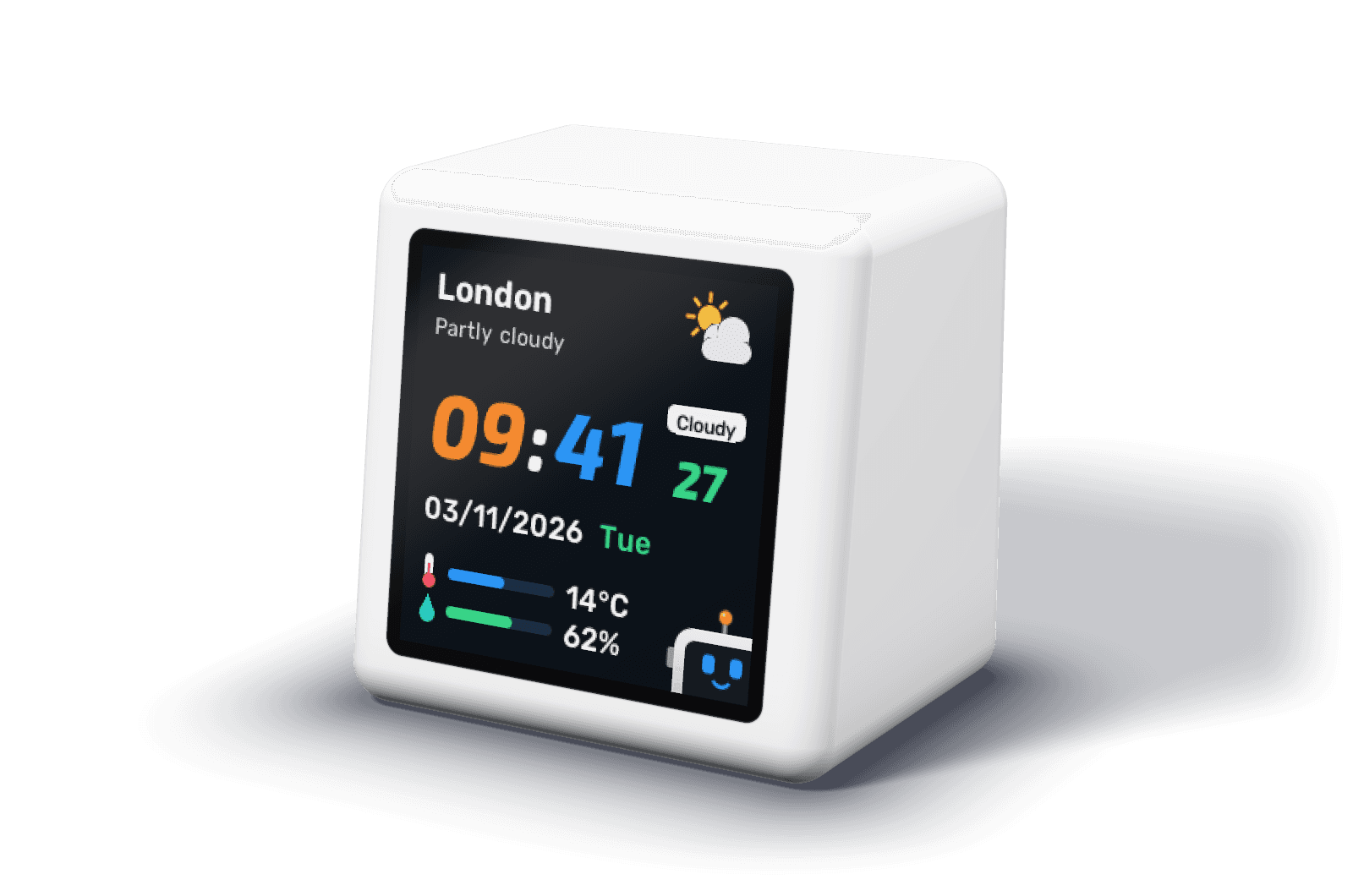
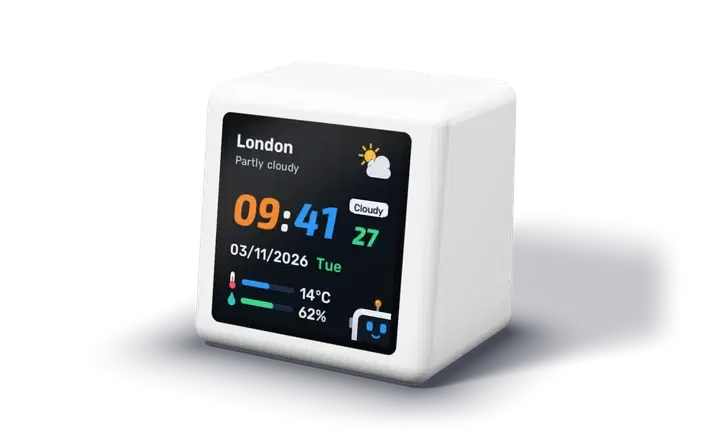
DeskBot on a desk: a small white cube with a colour screen showing the time, the date and the weather

Pre-order · ships within 21 days · worldwide

DeskBotYour startup's MRR, users and wins, on your desk

MRR and ARR with their 7 and 30 day change, total, new and active users, a breakdown of your customers, and the day's wins. When a new customer pays, it celebrates. When a payment fails or someone churns, it tells you.

It reads everything from one HTTPS endpoint on your own server, once a minute. Your billing keys stay where they are.

Pre-order

US$39.00Launch price until 8 February 2027, then US$65.00

Pay now and it ships within 21 days of your order. Your receipt gives the exact date. Cancel any time before it ships for a full refund.
Postage to United States: US$20.00, tracked. Ships worldwide from the UK. Secure checkout with Stripe; no account needed. Orders outside the UK may pay import tax on arrival.

Five screens, one glance

They rotate by themselves. Turn off any you don't need, and keep MRR in a strip under the clock if you want it in view all the time.

  • DeskBot's clock screen: the time in orange and blue, the date, the weather and the temperature

    Clock

    The time, date and weather for your city, with MRR in a strip along the bottom if you want it.

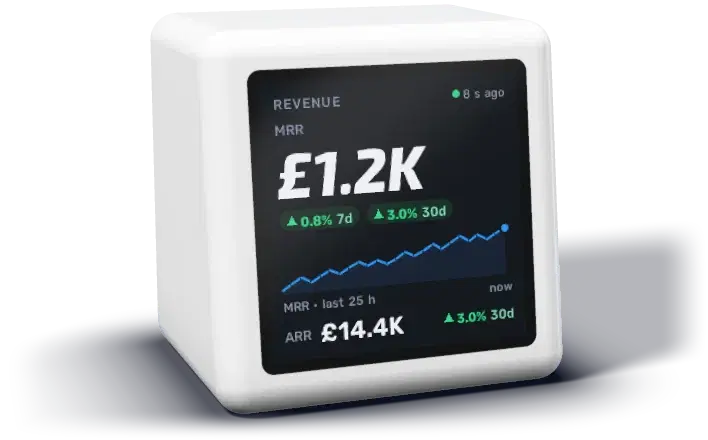
  • DeskBot's revenue screen: MRR as a large number, ARR beneath it, 7 and 30 day change chips and a sparkline

    Revenue

    MRR as the big number, ARR, the 7 and 30 day change, and a sparkline the clock draws from its own hourly readings.

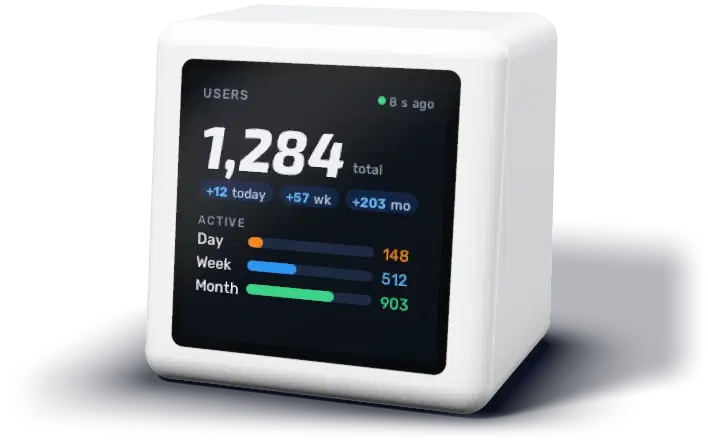
  • DeskBot's users screen: total users, new users today, this week and this month, and active user bars

    Users

    Total users, new users today, this week and this month, and daily, weekly and monthly actives as a share of the total.

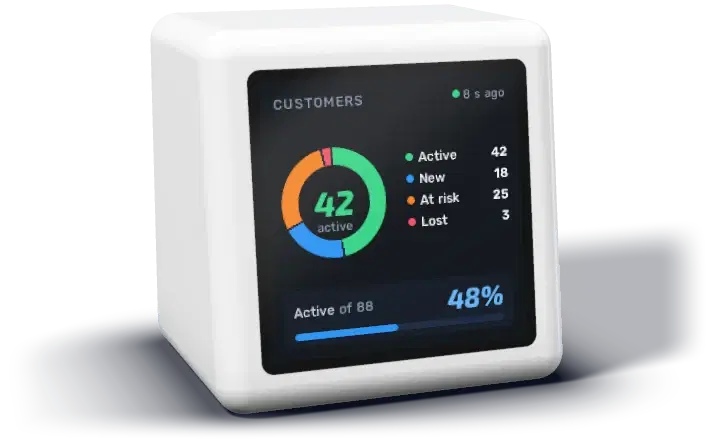
  • DeskBot's breakdown screen: a ring of up to four groups with their counts and a share or conversion card

    Breakdown

    Up to four groups you name yourself as a ring, such as active, new, at risk and lost customers, or paying and trialling subscriptions, with a share or conversion card such as trial to paid over 30 days.

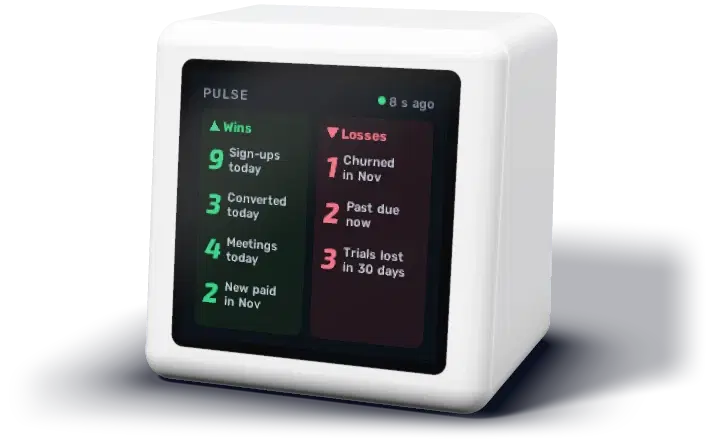
  • DeskBot's pulse screen: today's sign-ups, conversions and meetings, new paying customers, churn and payments past due

    Pulse

    Today's wins (sign-ups, conversions, meetings, new paying customers) against the losses (churn, payments past due, expired trials).

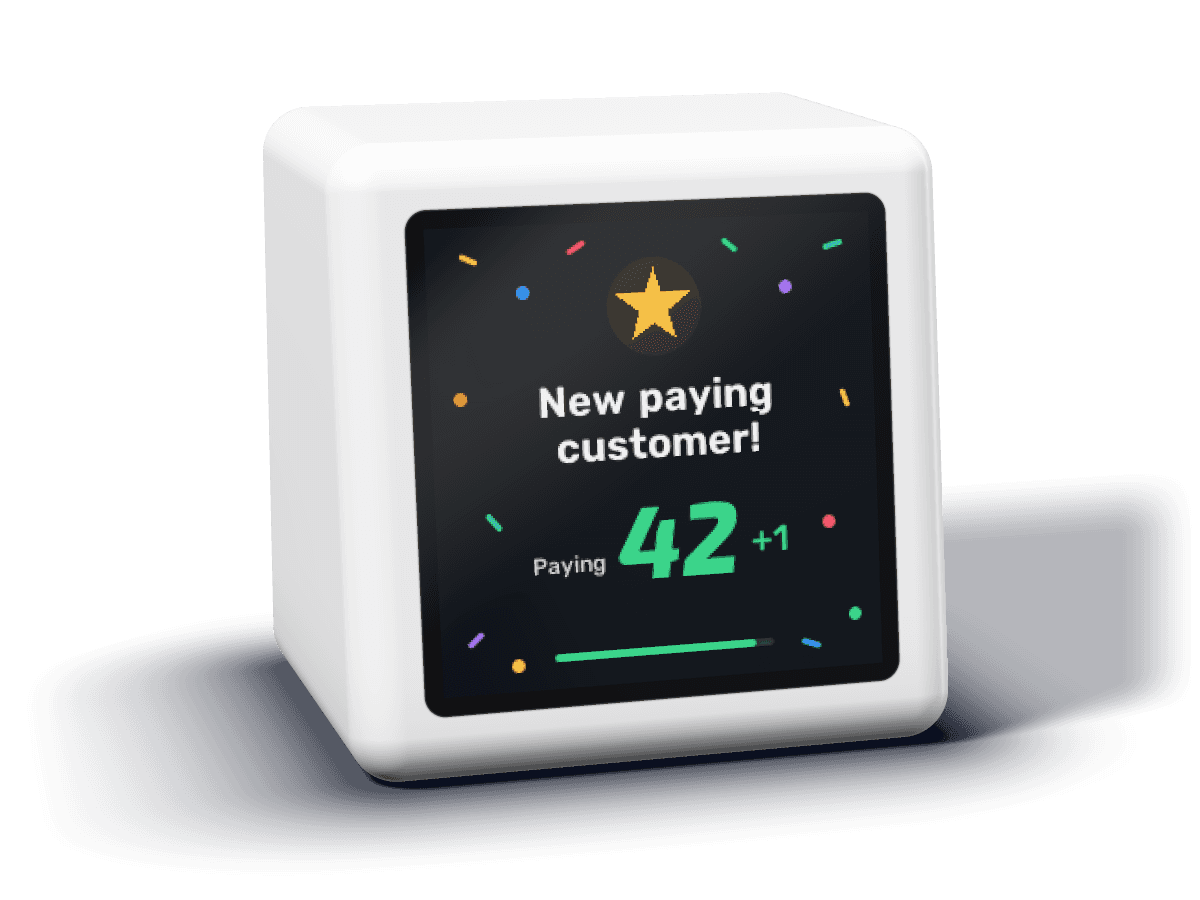
DeskBot celebrating a new paying customer on screen

A sales bell that also watches for trouble

Every new paying customer gets a moment on screen. A rise in churn or payments past due gets an alert, so a failed card is noticed the same afternoon. Each can be switched off.

How celebrations and alerts work

Set up in five minutes

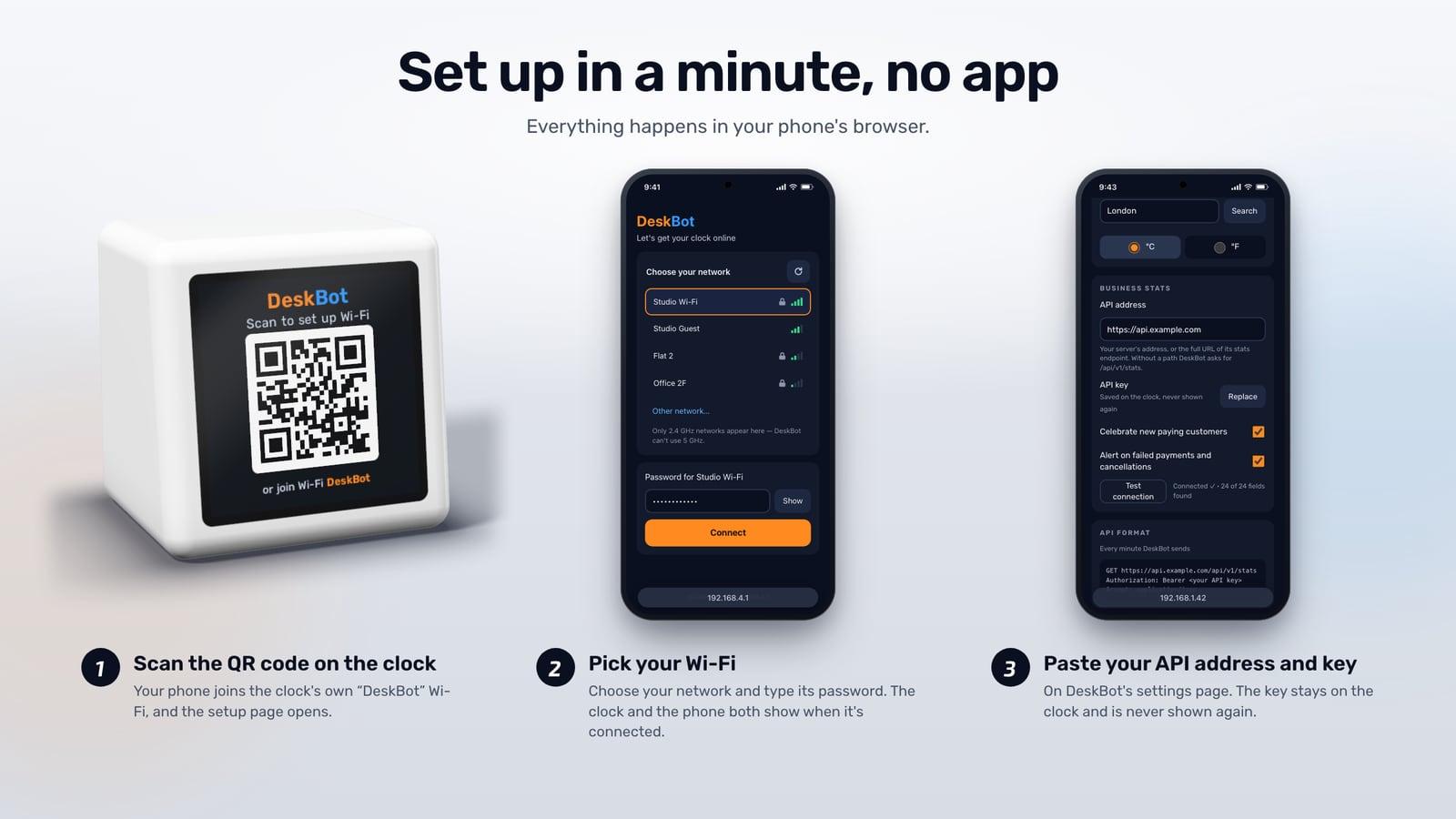
Setting up DeskBot: scan the QR code on the clock, pick your Wi-Fi on your phone, then paste your API address and key on the settings page
  1. 1

    Join it to Wi-Fi

    Plug it into USB-C power and scan the QR code on its screen with your phone. Pick your network. No app, no account.

  2. 2

    Give it one endpoint

    Open its settings page from the Settings QR screen and paste an HTTPS address that returns your numbers as JSON, with a key.

  3. 3

    Leave it on your desk

    It reads the endpoint once a minute, rotates through the screens, and updates itself with signed releases.

The full setup guide

Your numbers, from your API

DeskBot asks one address for a small JSON reply. Every field is optional, so you can start with MRR alone. If your JSON is shaped differently, map each value to its path on the settings page instead of changing your server.

On Stripe? There is a complete route that adds up your subscriptions into MRR by currency.

{
  "people": {
    "total": 1284,
    "new": { "1d": 12, "7d": 57, "30d": 203 },
    "active": { "1d": 148, "7d": 512, "30d": 903 }
  },
  "breakdown": [42, 18, 25, 3],
  "revenue": {
    "mrr": [{ "currency": "USD", "amount": 120000 }],
    "change": { "30d": [{ "currency": "USD", "amount": 3500, "percent": 3.0 }] }
  },
  "positives": { "signUps": { "1d": 9 }, "newPayingThisMonth": 2 },
  "negatives": { "churnedThisMonth": 1, "pastDue": 2 }
}

The standard reply, trimmed. Amounts are in cents or pence unless you choose whole units.

Specifications

Screen
1.54-inch colour LCD, 240 × 240 pixels
Connection
Wi-Fi, 2.4 GHz only
Power
USB-C, 5 V (the port is for power only)
In the box
DeskBot and a USB-C cable
Controls
None. Everything is set from a phone or browser
Data
One HTTPS endpoint you control, read once a minute (or less often)
Security
TLS 1.2 to about 50 well-known certificate roots; signed firmware updates
Weather
Open-Meteo, every 15 minutes, for the city you set
Updates
Checks every 6 hours and installs only releases signed with DeskBot's key

Good to know before you buy

  • Wi-Fi 2.4 GHz only. Most routers broadcast it alongside 5 GHz.
  • Your endpoint must speak TLS 1.2 with a certificate from a public authority (Let's Encrypt, Google, Amazon, Cloudflare, DigiCert and others). Self-signed certificates and TLS 1.3-only servers do not work.
  • Numbers refresh at most once a minute.
  • DeskBot does not log in to Stripe, your database or analytics tools itself. It reads one endpoint that you, or a no-code tool, keep up to date.

Delivery, cancellation and returns

DeskBot is on pre-order. You pay at checkout, and it ships within 21 days of your order by Royal Mail tracked post from the UK. Your receipt gives the exact ship-by date.

Cancel any time before it ships for a full refund. After delivery you have 14 days to return it. If it arrives faulty, we replace it or refund you, postage included. Orders outside the UK may be charged import VAT or duty on arrival.
Postage for one DeskBot
DestinationPostageIn transit
UK£5.252 to 3 working days
Europe€12.503 to 5 working days
Rest of worldUS$20.005 to 10 working days

Questions

How much does DeskBot cost?
£29 at the launch price, until 8 February 2027. From 9 February 2027 it is £49. In US dollars it is $39 at launch and $65 after; in euros, €35 and €59. Postage is added at checkout.
What does pre-order mean here?
You pay at checkout, and your DeskBot ships within 21 days of your order. Your receipt gives the exact ship-by date, and we email the tracking number when it leaves.
Where do you ship?
Worldwide, from the UK, to every country Stripe and Royal Mail deliver to, apart from places under UK sanctions. Checkout shows the postage for your address before you pay.
Is there a monthly fee or an account?
No. You pay once. There is no DeskBot account or subscription, and firmware updates install by themselves.
Where do the numbers come from?
From one HTTPS endpoint on your own server, which DeskBot reads once a minute. It does not log in to Stripe, your database or analytics tools itself. See the setup guide.
Can it show my Stripe MRR?
Yes, through a small route on your server that reads Stripe and returns the total. The Stripe MRR page has a complete one.
Is the hardware custom? Could I buy it cheaper and flash it myself?
The hardware is an off-the-shelf ESP8266 Wi-Fi clock with a 240 × 240 screen, and clocks like it sell for less on their own. What DeskBot adds is everything that runs on it: the firmware and its screens, setup without an app, signed automatic updates and support, on a unit that works when you plug it in. The DeskBot firmware is not published for other devices.

Every question about DeskBot